Feature / cookie banner removal
Screenshots without the cookie banner.
Turn on blockAds on any plan to filter common consent tools. On Growth, add your own selectors or AI removal for the banners that remain.
Options
Three ways to hide a banner, by plan.
| Option | Request field | Plan | How it works | Limit |
|---|---|---|---|---|
| Built-in filtering | blockAds: true | All plans | Blocks requests to a fixed list of consent, ad, analytics, and chat domains, then hides a fixed list of common consent-banner selectors. | Misses custom banner markup. Substring rules such as [class*="ad-"] can also hide ordinary elements. |
| Your selectors | hideSelectors: [".banner"] | Growth+ | Adds display: none !important for each selector you list (up to 100). | Breaks when the site renames its classes. |
| AI removal | aiRemoval: { enabled: true, types: ["cookie-banner"] } | Growth+ | A hosted language model labels up to 300 candidate elements from their tag, id, class, role, aria-label, and CSS position. Matches at or above confidence (default 0.8) are hidden. | A model decision: it can miss anonymous markup and does not inspect iframes or shadow DOM. |
Consent-tool domains blocked by blockAds: cdn.cookielaw.org, cookiebot.com, trustarc.com, consensu.org. Hidden selectors include classes or ids containing cookie-consent, cookie-banner, cookie-notice, or consent-banner, plus #onetrust-banner-sdk, .cc-window, and .cky-consent-container.
Fixture renders
What the built-in filter does, and where it stops.
Rendered from a fictional local page with the same stylesheet and domain list that blockAds ships with, using scripts/content-fixtures/render-feature-evidence.ts. These are not production API captures, and AI removal is not shown because it depends on a live model call.
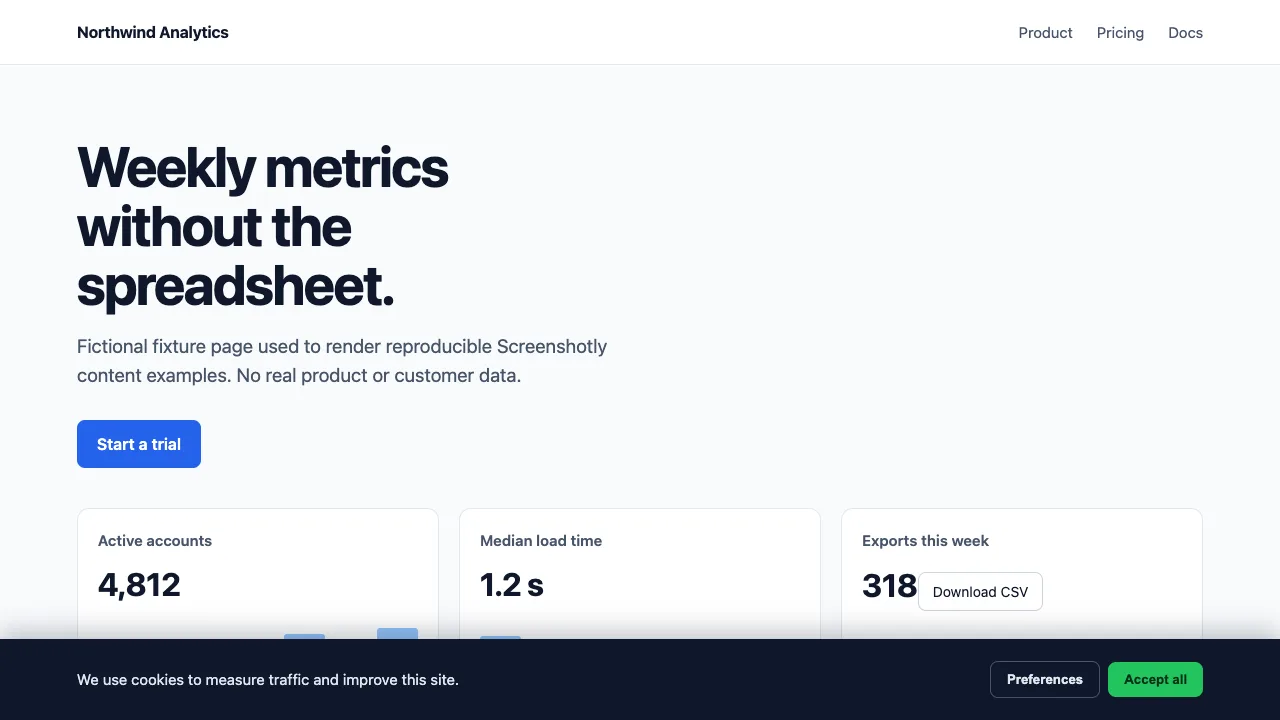
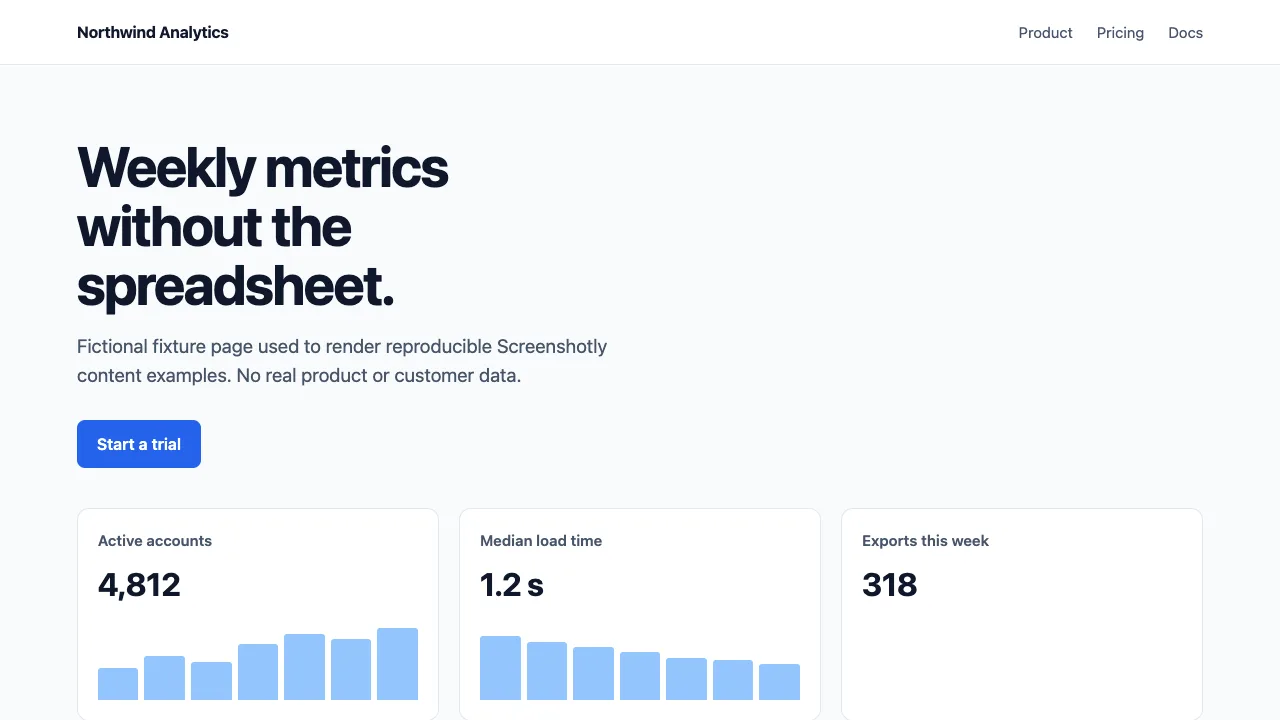
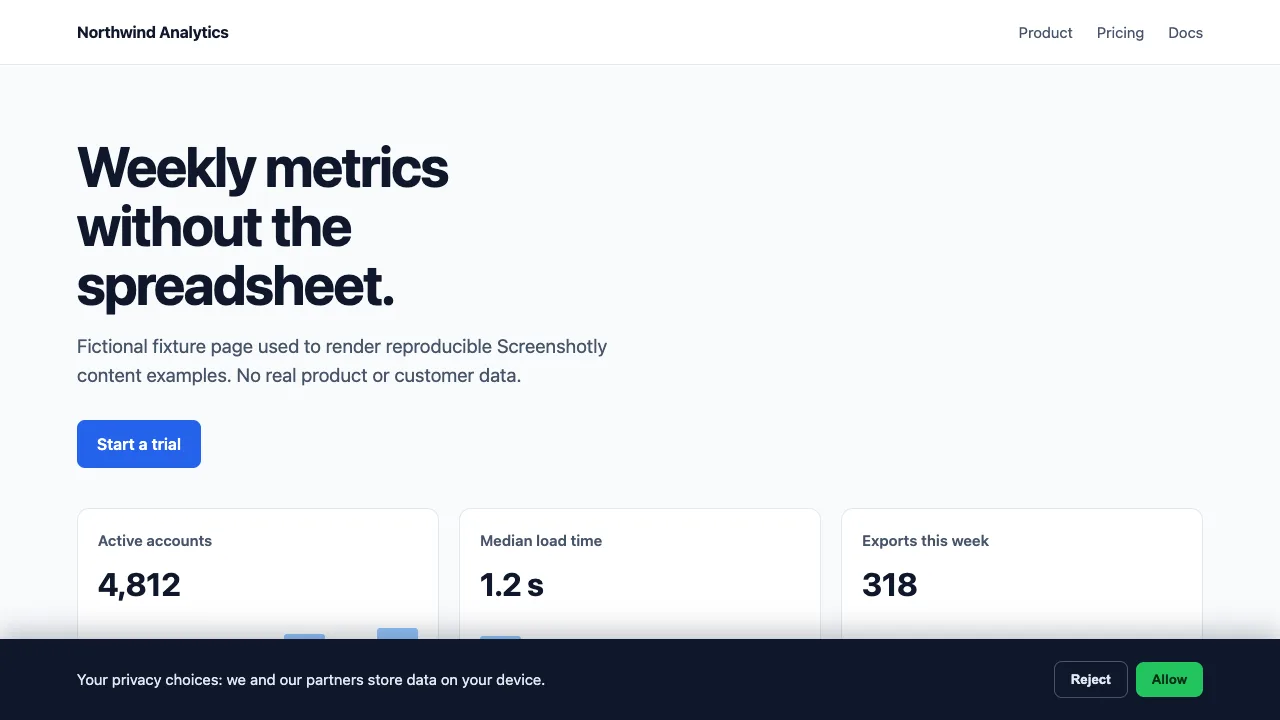

Every plan
Built-in filtering
curl -X POST https://screenshotly.app/api/screenshot \
  -H "x-api-key: $SCREENSHOTLY_API_KEY" \
  -H "Content-Type: application/json" \
  -d '{"url":"https://example.com","blockAds":true,"format":"png"}' \
  --output clean.png
Growth and Scale
Selectors plus AI removal
curl -X POST https://screenshotly.app/api/screenshot \
  -H "x-api-key: $SCREENSHOTLY_API_KEY" \
  -H "Content-Type: application/json" \
  -d '{"url":"https://example.com","blockAds":true,"hideSelectors":[".privacy-drawer"],"aiRemoval":{"enabled":true,"types":["cookie-banner"],"confidence":0.8},"format":"png"}' \
  --output clean.png
Below Growth, this request returns 403 with minimumPlan: "growth".
Limits
Know what hiding does not do.
- Hiding is not consenting. No choice is recorded. Use a consent cookie on sites you own (Basic+) or a click via
javascript(Growth+) if you need the post-choice page. - Scroll locks and dimmed backdrops that the site applies while the banner is open are not undone by hiding the banner.
- Blocking a consent tool can stop content that waits for it, such as some embeds, from loading.
- AI removal runs once, after
delayandhideSelectors. Banners that appear later are not inspected. If the model call fails, the request fails with HTTP 500 and uses no quota. - For visual regression baselines, prefer the deterministic options. An AI decision can differ between runs.
FAQ
Before you capture.
- Is cookie banner removal free?
- The built-in filter is. blockAds: true works on every plan, including Free. hideSelectors and AI removal (aiRemoval) need the Growth plan or higher.
- Does it accept or reject cookies for me?
- No. These options hide elements or block requests inside the capture browser; they do not record a consent choice. To capture the page after a choice, set your own consent cookie (Basic+) or click the button with custom JavaScript (Growth+).
- What happens if I send aiRemoval without the Growth plan?
- The API returns HTTP 403 with error "Plan upgrade required" and minimumPlan "growth". No capture runs and no quota is used.
- Which element types can AI removal hide?
- cookie-banner, newsletter, chat-widget, social-overlay, and ad. Pass the ones you want in aiRemoval.types; an empty or missing list means all five.
- Can blockAds hide something I wanted?
- Yes. Its ad rules include substring selectors, so class names such as download-button or thread-list can match. If the target page is itself on a blocked domain, the page request is blocked too. Compare a capture with and without blockAds on pages that matter.